

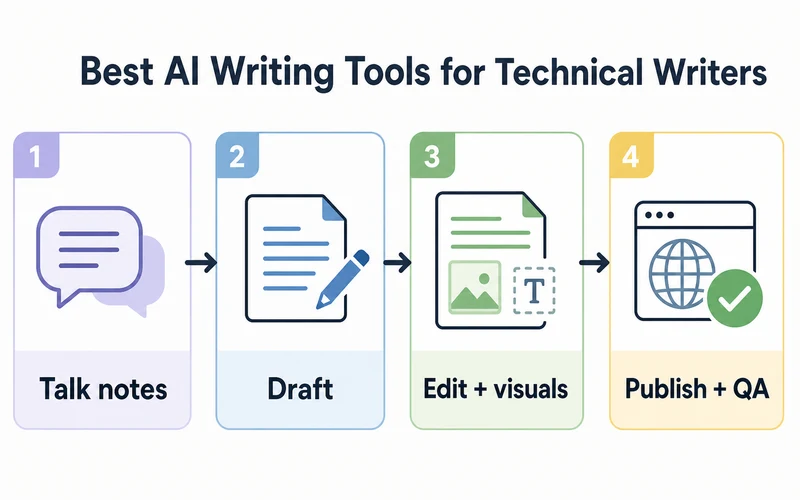
The best AI writing tools for technical writers capture real source material, draft from verified context, and edit against a style guide.
Why I Can Comment on This
I have spent the last year doing a deep dive with these tools in real client and Writeinteractive work, not a weekend of demos. That is the only reason I think this list is worth your time.
I am a working technical writer and a member of the Society for Technical Communication. The shape of the job has changed quickly, and I have tried to track that honestly rather than chase trends.
If you want the longer story behind how I think about this, here is my piece on the impact of AI on technical writing, one year later.
Take this as one practitioner's read from real use, not a vendor scorecard.
Best AI Writing Tools for Technical Writers (2026 Update): Quick Comparison
This is the short list of the best AI writing tools for technical writers based on my own real-world use.
| Rank | Tool | Best use |
|---|---|---|
| 1 | Wispr Flow | Talk instead of type for AI prompts, emails, notes, and much more |
| 2 | Claude | Any and every writing task |
| 3 | ChatGPT proper | Outlines, rewrites, tables, ideation, image prompts |
| 4 | ChatGPT Images 2.0 | Visuals, diagrams, thumbnails |
| 5 | Grammarly | Final polish and tone consistency |
| 6 | Jasper | Marketing-adjacent technical content |
| 7 | Notion AI | Internal docs that already live in Notion |
| 8 | Document360 AI | Knowledge bases already on Document360 |
| 9 | Paligo or MadCap AI | Structured authoring at scale |
A note on omissions. Gemini is worth watching but not part of my current Writeinteractive stack. Microsoft Copilot is a Microsoft 365 assistant first, which makes it a SharePoint, Word, and Teams conversation rather than a general technical-writing pick. Codex and the ChatGPT Codex models are excellent for code, site edits, automation, and QA — but I would not run editorial prose through them. Use ChatGPT proper or Claude for writing.
Scribe and Guidde belong to a different category entirely (SOP capture), so they don't compete with the picks above. RankIQ is part of my SEO grading stack, but it is not an AI writing tool for technical writers, so I am leaving it out of the recommendation table.
What Makes AI Writing Tools Useful for Technical Writers
Marketing copy and technical documentation share almost nothing. A tool that nails punchy landing-page lines can be a liability inside a release-notes pipeline or a customer-facing knowledge base. Three tests separate useful from impressive.
Source fidelity. Can the tool work from the spec, ticket, changelog, API reference, support thread, transcript, style guide, and published docs you already trust? If it is inventing from vibes, it does not belong near production documentation.
Workflow fit. Technical writers live in Markdown, Git, Notion, Confluence, Oxygen, MadCap Flare, Paligo, Document360, Google Docs, or a homegrown CMS. A slightly weaker model in the right place beats a brilliant model that forces constant copy-paste.
Reviewability. Technical writing is not just shaping sentences; it is making claims that survive SME review. The best AI writing tools for technical writers make it easy to see where the draft came from, what changed, and what still needs a human call.
Recommended Options
Wispr Flow
Best for: talking instead of typing for AI prompts, emails, notes, and much more.
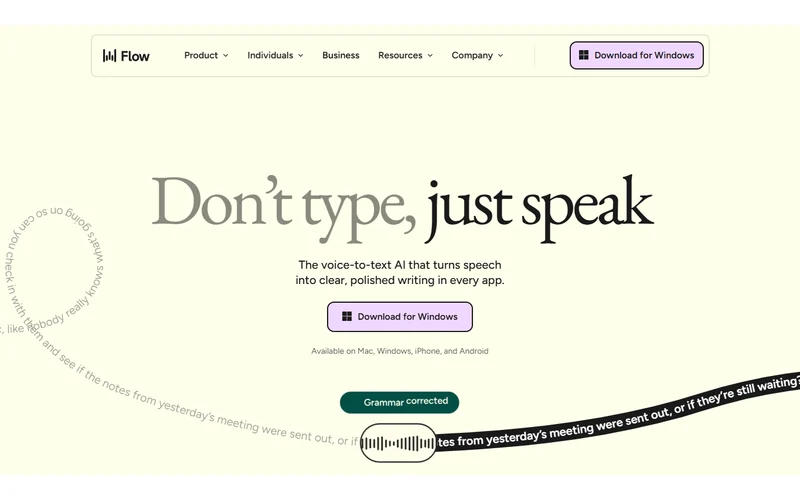
Wispr Flow goes first because the opening bottleneck in a modern AI workflow is often typing. After using it for about three months, I am not sure how I lived without it. More plainly, the bottleneck is typing slower than you speak. If you can talk through a feature, a customer issue, or a messy blog idea faster than you can type it, Wispr Flow hands Claude or ChatGPT better raw material to work from.
This matters more for technical writers than for most categories. A vague prompt produces vague documentation. A dictated field note with the messy specifics intact gives the drafting model something concrete to organize.
Wispr Flow does not replace Claude, ChatGPT, Grammarly, or a docs platform — it is the intake layer that feeds them. I use it to capture thoughts, rough explanations, blog notes, prompts, emails, and technical observations before any of it is polished. For the longer breakdown, read my Wispr Flow review.
Try Wispr Flow free if typing is slowing down your writing day.
Claude
Best for: any and every writing task that needs real context, judgment, and a human-sounding draft.

Claude is the model I reach for when the job is a real draft, not a quick rewrite. It handles long context unusually well: a spec, working notes, the style guide, a product explanation, and a few examples of house voice can sit together in one session without the output losing the thread.
The practical move is to give Claude more source material than you think it needs, then ask for a constrained draft — no invented features, no unstated requirements, no filler, no claims unsupported by the supplied context.
Claude still needs review. It can smooth over uncertainty, especially when the source material is thin. But if I had to pick one first-draft model for long technical content, Claude sits above ChatGPT.
ChatGPT proper
Best for: outlines, rewrites, tables, metadata, section cleanup, fast ideation, and second-pass editing.
ChatGPT proper is still one of the most useful daily writing surfaces I touch. It is fast, flexible, and strong at transforming one structure into another: notes into a table, rough copy into a tighter section, a long answer into FAQs, or a draft into several title and meta options.
The qualifier in the heading matters. I use ChatGPT proper for prose. I would not use Codex or a ChatGPT Codex model as the writing engine for a blog post. Codex earns its keep on code, automation, local file work, QA, and publishing tasks — not finished editorial prose.
The best workflow is not model loyalty. Claude for long-context drafting. ChatGPT proper for fast iteration, structural options, and practical writing support. Route each step to the model that handles it best.
ChatGPT Images 2.0
Best for: visuals, diagrams, thumbnails, and visual concepts that need to match the technical-writing brief.
ChatGPT Images 2.0 earns a place in the stack because technical writing is rarely just text. Screenshots, diagrams, comparison visuals, and explanatory illustrations make the work easier to scan and easier to remember.
The rule that keeps you out of trouble: images need QA the same way prose does. Do not publish a diagram that is only legible at 200 percent zoom. Do not trust tiny labels, fake UI, or generated text without checking it at real article width on desktop and mobile. For pieces like this one, the safer use is supporting visuals with simple symbols and no dense text.
Grammarly
Best for: final polish, grammar, clarity, and tone consistency.

Grammarly is not the tool I would use to draft a feature guide. It is the tool I would use after the draft exists. That makes it valuable in a technical-writing stack because consistency is the problem that usually creeps up on teams.
Use it to catch friction, repeated phrasing, grammar issues, and tone drift. Then be willing to reject the suggestions that smooth precise technical instructions into mush. Docs need clarity, but they also need exactness.
Jasper
Best for: marketing-adjacent technical content, launch pages, product copy, and campaign material.
Jasper is not my pick for reference documentation or procedural help — that is not what it was built for. But plenty of technical writers end up adjacent to product marketing, developer marketing, launch comms, and content strategy. Jasper makes more sense there.
Use it when the output is a product story, a landing page, a launch campaign, or a conversion-focused piece. Do not use it as the source of truth for API behavior, installation steps, or support documentation.
Notion AI
Best for: internal docs, wikis, notes, and lightweight team knowledge bases already living in Notion.
Notion AI wins on proximity. If the pages, meeting notes, project plans, and rough knowledge already live in Notion, the AI layer can summarize, reorganize, draft an FAQ, or clean up a messy page without moving the work elsewhere.
The limitation is the platform. If public docs live in a dedicated knowledge base, a docs-as-code repo, or a structured-authoring system, Notion AI is an internal drafting helper rather than the main documentation engine.
Document360 AI
Best for: teams whose customer-facing knowledge base already lives in Document360.
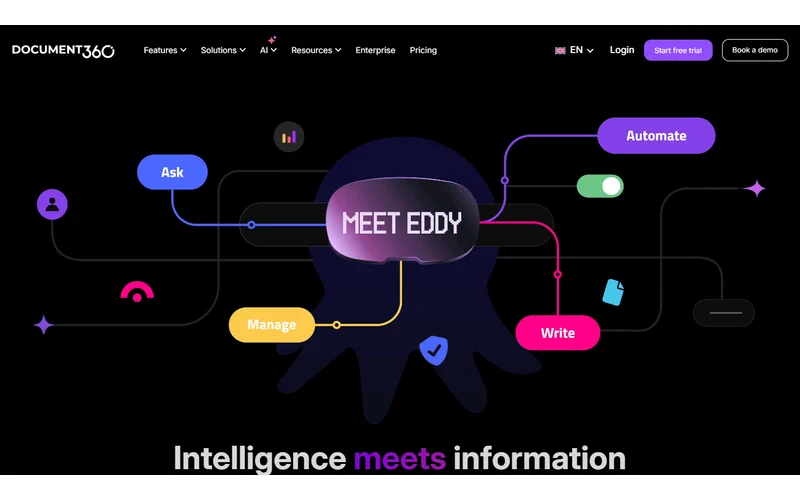
Document360 AI is useful when the AI support sits close to the knowledge base itself. That helps with article drafts, summaries, FAQ generation, search, and content maintenance. The value is not being the smartest model in isolation. The value is operating next to the place where the docs live.
Do not adopt Document360 because it has AI. Adopt it because the platform fits the team, then treat the AI features as workflow improvements.
Paligo or MadCap AI
Best for: structured-authoring teams producing reused, governed, multi-channel documentation.
Paligo and MadCap are not casual writing apps. They are documentation systems. If your team needs reuse, variants, translation workflows, PDF and web publishing, and structured content discipline, AI features can help inside that environment.
Same warning as above: choose the platform first. AI assistance can improve drafting and editing, but it does not replace the architecture of a structured documentation program.
How To Choose the Right Stack
Start with whichever part of the work is breaking down.
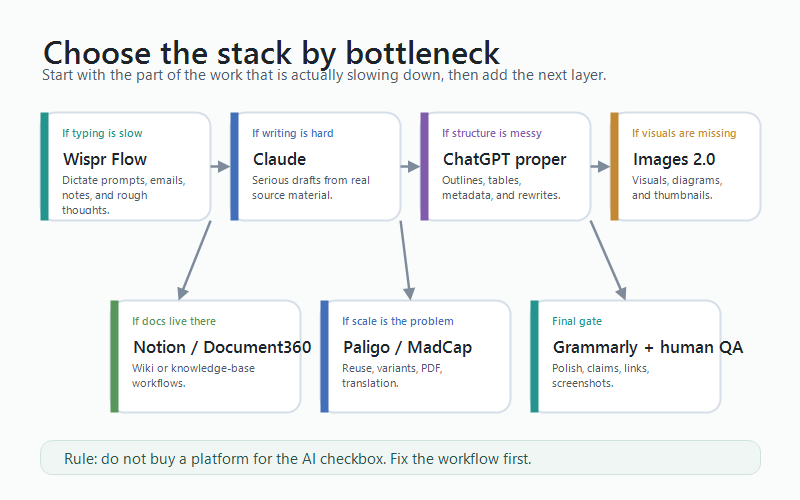
| If the bottleneck is | Start with | Add next |
|---|---|---|
| Getting thoughts out of your head | Wispr Flow | Claude for drafting |
| Long-context first drafts | Claude | ChatGPT proper for iteration |
| Fast rewrites and structured edits | ChatGPT proper | Grammarly for final polish |
| Technical visuals and support images | ChatGPT Images 2.0 | Human visual QA |
| House style across many writers | Grammarly | A shared style guide and review workflow |
| Internal docs in Notion | Notion AI | A publishing path if those docs go external |
| Customer knowledge base content | Document360 AI | A general model for heavier drafts |
| Structured documentation at scale | Paligo or MadCap | AI only after the platform workflow is sound |
| Tool and template research | Claude or Codex | A human-reviewed SOP template |
For most independent writers and small teams, the stack is simple: Wispr Flow to talk instead of type, Claude for the writing itself, ChatGPT proper for fast iteration, Grammarly for polish, and your existing publishing system for the final page.
For larger teams the question changes. Governance, privacy, source grounding, approvals, and seat management matter more than raw model quality — which is where Document360, Paligo, or MadCap enter the conversation.
Tool and template research is its own lane. Claude and Codex are both useful when you need to compare possible tools, inspect documentation, or turn rough requirements into a template before the real writing begins. I would still keep Codex away from final prose, but it is very good at structured research, checklists, local files, and process scaffolding.
Take an SOP as the example. If the job is to create a release-note review SOP, Claude or Codex can help research the common workflow, identify the inputs, outline the approval path, and draft a template with sections for owner, trigger, source materials, review steps, evidence, signoff, and final publication. Then a human process owner needs to validate the template against the way the team actually works.
Common Mistakes
These are the failure modes I see most often when writers and teams bolt AI onto a documentation workflow.
- Replacing the writer instead of the typing. AI is excellent at first drafts, summaries, transforms, and rewrites. It is weak at audience judgment, source-of-truth decisions, and knowing what should not be documented yet.
- Skipping SME review. Polished AI output is dangerous when it is wrong. Every customer-facing draft still needs someone who knows the product to sign off.
- Letting voice drift. Without your style guide, examples, and constraints, every draft reads like a slightly different vendor brochure.
- Buying a platform for an AI checkbox. Document360, Notion, Paligo, and MadCap should be chosen for the workflow they support. AI is a feature, not a reason to rebuild the docs stack.
- Publishing unreadable images. A diagram that looks fine in the editor can fail on the live page. Check desktop, mobile, and actual article width before calling a visual done.
FAQ
Q: What are the best AI writing tools for technical writers?
A: Wispr Flow to talk instead of type, Claude for serious writing, ChatGPT proper for iteration, ChatGPT Images 2.0 for visuals, Grammarly for polish, and a documentation platform that matches where your docs already live.
Q: Can AI replace technical writers?
A: No. AI can remove mechanical drafting, summarizing, rewriting, and formatting work, but it does not replace audience judgment, source validation, SME coordination, information architecture, or accountability. I go deeper on the shift in my piece on the impact of AI on technical writing, one year later.
Q: Should technical writers use Claude or ChatGPT?
A: Use Claude first for any serious writing task built on real source material. Use ChatGPT proper for quick outlines, rewrites, tables, metadata, and iterative editing. The right answer is most often both, with each step routed to the model that handles it best.
Q: Where does Wispr Flow fit in an AI writing workflow?
A: Before the model. Wispr Flow helps you capture better raw material — notes, prompts, explanations, and messy source thoughts — faster than you can type. That gives Claude or ChatGPT a stronger starting point.
Q: Should I use Microsoft Copilot for technical writing?
A: Use Microsoft Copilot if your work is deeply tied to Word, Teams, Outlook, and SharePoint. It is not a core pick here because this guide is about general AI writing tools for technical writers, not a Microsoft 365-specific workflow.
Q: Are AI-generated docs safe to publish without review?
A: No. Treat AI drafts like fast junior drafts — useful, occasionally impressive, and never ready for customer-facing publication until a qualified human verifies the facts.
Q: What about privacy when feeding internal docs to AI tools?
A: Check the plan-level terms for training use, retention, subprocessors, regional processing, admin controls, and enterprise data protections. If your source material includes customer data, unreleased product details, or internal architecture, consumer plans are the wrong place to put it.
Final Verdict
For most people looking for the best AI writing tools for technical writers, the practical stack is Wispr Flow to talk instead of type, Claude for the writing itself, ChatGPT proper for iteration, ChatGPT Images 2.0 for visuals, and Grammarly for polish.
After that, choose the platform based on where the docs actually live. Notion AI if the wiki is already in Notion. Document360 AI if the knowledge base is already on Document360. Paligo or MadCap when structured authoring is the real requirement.
The mistake is trying to make one tool do the whole job. Technical writing is a workflow. The best AI writing tools for technical writers are the ones that respect that workflow instead of pretending the writer is the bottleneck.
Want help with this kind of work?
We turn ideas like the one in this post into production-ready content, creative, and infrastructure.
Start a project →